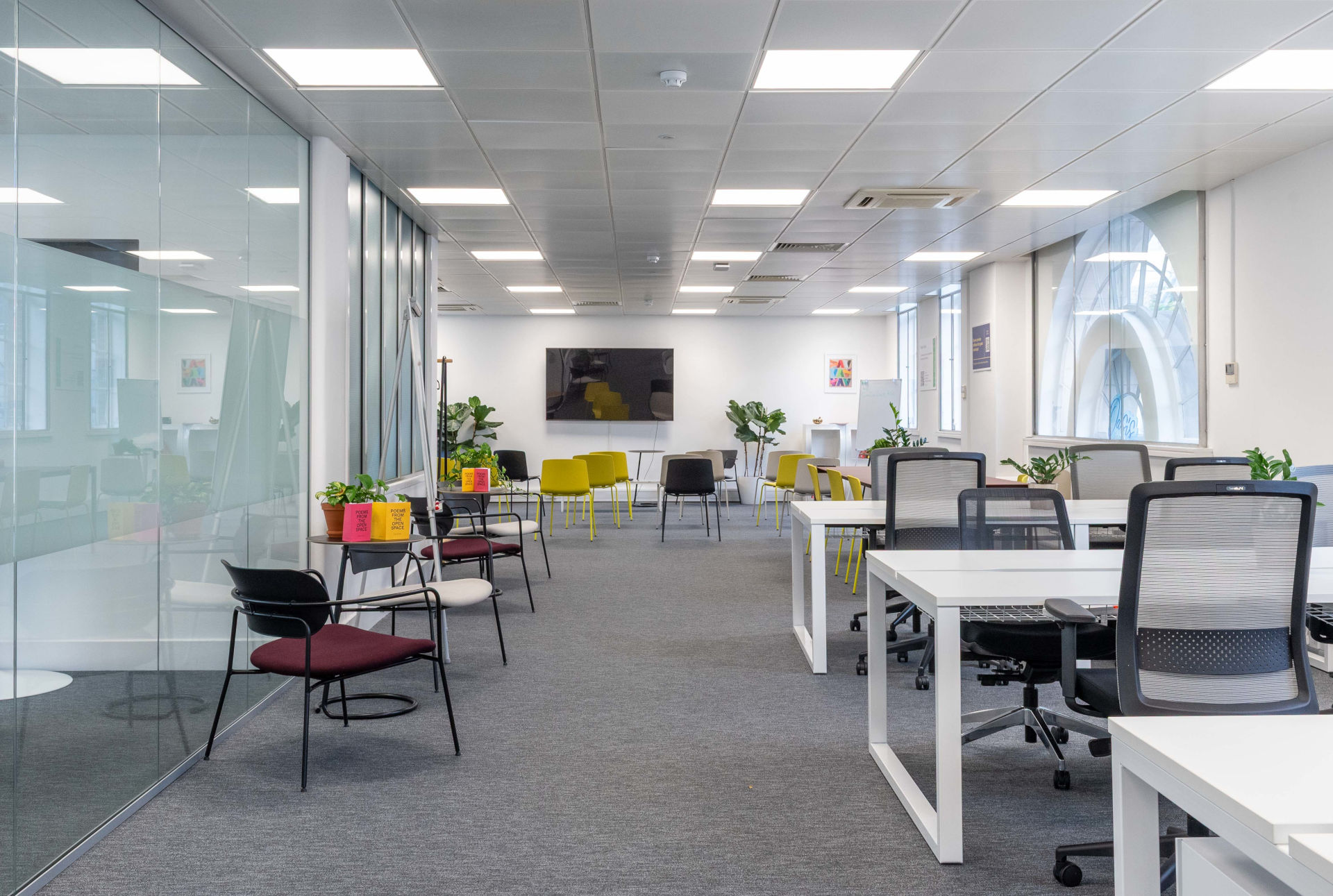
eOffice Strand Office

The UK Buyer’s Guide To Secure Managed Offices How To Evaluate Access Staffed Security And Data Protection

Choosing a managed office isn’t just about location and fit-out anymore. If your team is growing, handling sensitive client data, or working odd hours, security can make or break whether a space is right for you.

In the UK, security is no longer just a “nice to have”:

  • It underpins staff safety and wellbeing.
  • It protects client data and IP (with UK GDPR obligations sitting firmly on your shoulders, not your landlord’s). (Source: ICO – Physical security)
  • It affects your ability to win enterprise clients and regulated work.

This guide is designed to help you shortlist and compare managed offices in a practical, mid-to-bottom-funnel way. By the end you’ll know exactly what to ask operators about:

  • Access control and after-hours security
  • Staffed security and reception practices
  • CCTV and alarms
  • Data and IT security in shared environments
  • What should be written into SLAs and contracts

1 Start With Your Risk Profile (So You Don’t Under- Or Over- Spec Security)

Before you jump into tours of “flexible office space with advanced security features”, get clear on what you actually need.

Ask yourself:

  • What do we need to protect?
    • Highly sensitive personal data (health, finance, legal)?
    • Commercially sensitive IP and prototypes?
    • High – value equipment (servers, specialist kit, laptops)?
  • When do we work?
    • Standard 9–5, or do you need secure after-hours access and 24/7 entry?
  • How do we work?
    • Fully hybrid or remote – first, with staff coming and going at irregular times?
    • Regular confidential client meetings on site?
  • Which regulations apply?
    • UK GDPR and the Data Protection Act 2018 for almost everyone handling personal data.
    • Sector rules (e.g. financial, legal, health-tech) which often expect strong physical and IT controls.

Having this written down helps you:

  • Dismiss spaces that clearly can’t meet your minimum bar.
  • Avoid overpaying for features you don’t need (for example, full biometric entry when strong keycard access plus good processes would do).

2 What Does A Secure Managed Office Actually Mean

Managed offices sit between serviced offices and traditional leased space:

  • You get a private, often customisable office or floor for your team.
  • The provider handles fit-out, facilities and day – to – day operations.
  • You sign a single, all – inclusive agreement rather than manage separate contracts for cleaning, utilities, etc.

At eOffice, for example, businesses can take fully managed floors with their own kitchen, meeting rooms, breakout areas and branding, while building management, maintenance and services are handled centrally. (Source: eOffice – Office and coworking flexible solutions in London)

secure managed office should therefore cover both:

  1. Building – wide security – perimeter, staffed security or concierge, CCTV, alarms.
  2. Your dedicated space – controlled access to your floor/suite, secure IT and data arrangements.

The rest of this guide shows you how to probe both sides.


3 Pillar 1 Access Control And After- Hours Security

If you’re searching for things like “managed office space with keycard access in Birmingham” or “managed offices with secure after-hours access”, this is the pillar you’re really evaluating.

3.1 Building Access And Perimeter

On your tours, look at how people actually get into the building.

Key questions:

  • Is there 24/7 building security or concierge?
    • Is the entrance staffed at all times, just during core hours, or not at all?
  • What’s the primary access control method?
    • Keycards/fobs, mobile app, PIN pads, or biometric readers.
  • Is there a clear separation between public and tenant areas?
    • Can anyone from the street wander up to your floor, or is there a second layer of access control (e.g. turnstiles or lift card readers)?
  • What’s the process for lost or stolen cards?
    • How fast can they revoke access?

Industry bodies like the British Security Industry Association (BSIA) recommend using electronic access control to restrict and monitor movement, and ideally integrating it with CCTV and other systems. (Source: BSIA – A guide to access control)

Red flags

  • Reliance on simple keys with no audit trail.
  • Reception staff “buzzing people up” without checking identity.
  • No clear policy for visitor or contractor access.

3.2 Access To Your Managed Office

Even in buildings with good perimeter security, your own space needs another layer.

Look for managed offices with secure access control systems at your front door, such as:

  • Keycard or fob readers
  • Mobile/app-based entry
  • Biometric entry systems (fingerprint or facial recognition) where justified by risk

Ask providers:

  • Can we have different permission levels?
    • Example: leadership, general staff, cleaning/contractors, visitors.
  • Do you log all entries to our suite?
    • How long are logs kept, and can we get them in case of an incident?
  • If we grow, can access control scale easily?
    • Adding new staff, creating zones for high – sensitivity teams, etc.

If you’re specifically trying to find managed offices with biometric entry systems, make sure the provider can explain why and how they’re using biometrics, what data they store, and how that complies with UK GDPR.

3.3 Secure After- Hours Access And 24/7 Working

Many growing teams want flexible managed offices with security for early – birds and night owls as well as standard hours.

You’re looking for:

  • 24/7 building security – not just “24/7 access” on the brochure.
  • Lighting and CCTV covering entrances, car parks and surrounding streets.
  • Clear rules on who can be in the building after hours, and what support is available if there’s an incident.

Some eOffice managed suites, for instance, include 24/7 building security, app – based office access and secure bike storage in central London locations – a good benchmark for what modern, flexible space can offer teams that work outside 9–5. (Source: eOffice – Private Office for 10–12 people, Fitzrovia)

When comparing “managed office spaces with 24/7 security in London” or other cities, always ask what 24/7 actually means in practice: is it just badge access, or is someone genuinely monitoring and able to respond?


4 Pillar 2 Staffed Security Reception And Visitor Management

For many businesses, the real differentiator between average and best – in – class secure managed offices is how people are handled at the front door.

4.1 On- Site Security Staff

If you want “flexible office space with private security for teams” or “managed offices with security staff on site”, ask about:

  • Who actually employs the guards?
    • Building owner, managing agent or a third – party security company?
  • Are they SIA – licensed?
  • What are guards responsible for?
    • Purely front – of – house, or active patrolling and incident response?
  • Is there a clear escalation path?
    • Who do your staff call at 10pm if there’s a problem?

4.2 Reception And Visitor Management Security

If your teams host clients or partners regularly, visitor management becomes a central part of your security posture.

Look for flexible managed office space with visitor management security that includes:

  • A staffed, secure reception area (ideally with turnstiles or controlled access beyond the desk).
  • Digital visitor management (check – in kiosks or tablets) with badges or passes.
  • A process to ensure visitors are always escorted or tracked.
  • Clear, privacy – respecting handling of visitor data (sign – in logs, ID copies, CCTV images).

When you ask about “flexible managed offices with security for confidential meetings”, dig into how visitors are vetted and how far they can roam unaccompanied.

4.3 Deliveries Mail And Couriers

Secure mail handling often gets forgotten – until something goes missing.

Ask providers how they handle:

  • Mail and parcels – where they’re stored, who has access, and what proof of collection looks like.
  • Couriers and third – party deliveries – whether they can reach your floor unsupervised.

If “flexible office space with secure mail handling” is on your wishlist, look for:

  • A locked mailroom or secure mail lockers out of public view.
  • Logging of inbound parcels and sign – off on collection.
  • Sensible retention periods for uncollected mail.

5 Pillar 3 CCTV Alarms And Physical Security Inside Your Office

Security isn’t just the front door and reception. Once someone is inside your floor, you still need controls.

5.1 CCTV That Helps And Doesn’t Create New Risks

In the UK, CCTV that can identify people counts as personal data. The ICO expects organisations to control who can see footage, why it’s collected, and how long it’s kept. (Source: ICO – Physical security)

When evaluating “flexible office space with advanced security features”, ask:

  • Which areas are covered by CCTV (entrances, lifts, corridors, car parks)?
  • Who can access footage and under what circumstances?
  • How long footage is retained.
  • Whether cameras are operated by a contractor, building management or your operator.

You’re looking for clear, written policies rather than vague assurances.

5.2 Intruder Alarms And Response

For “managed offices with alarm systems in Manchester” or any other UK city, focus on:

  • What’s actually alarmed?
    • Building entrances only, or your own suite doors and key rooms (e.g. server rooms) too?
  • Who gets notified in the event of an alarm – external monitoring centre, on – site guards, or someone in your team?
  • Response times and responsibilities – especially out of hours.

Ideally, access control, CCTV and intruder alarms should be integrated, as recommended by industry best practice for commercial buildings. (Source: BSIA – A guide to access control)

5.3 Inside Your Space Server Rooms Storage And Facilities

When you tour potential suites, look beyond the nice fit – out.

Minimum expectations for secure managed office space for small businesses should include:

  • Secure comms/server room or cabinet
    • Lockable, access – controlled, not in a shared corridor.
    • Environmental protections (fire detection, ventilation).
  • Secure document storage
    • Lockable cabinets or rooms for paper records.
    • Secure confidential waste bins and regular shredding.
  • Secure bike and car parking (if provided)
    • Controlled vehicle access to car parks.
    • Lockable, CCTV – covered bike storage if “managed office space with secure bike storage” matters to your team.

For reference, some eOffice private offices include secure bike storage, 24/7 building security and access to controlled – entry facilities like meeting rooms and breakout areas. (Source: eOffice – Private Office for 10–12 people, Fitzrovia)


6 Pillar 4 Network Data And IT Security In Shared Environments

Physical security and IT security are now inseparable. A “managed office with secure IT infrastructure” should help you meet your data protection duties rather than complicate them.

6.1 Shared Building Separate Networks

In a flexible managed office, multiple companies often share the same physical infrastructure. You should ask:

  • Do we get our own logically separated network (e.g. VLAN) rather than just a shared Wi – Fi password?
  • Is there a guest Wi – Fi separate from company networks?
  • Can we bring our own firewall or dedicated internet line if needed?

UK regulators emphasise appropriate technical and organisational measures to protect personal data – including access controls, secure network design and monitoring. (Source: ICO – Physical security)

If you process particularly sensitive or regulated data, you may prefer a managed floor where:

  • Network hardware for your space is in a locked, dedicated comms room.
  • Only your IT team (and pre – authorised engineers) can access it.

6.2 Endpoint And Cloud Security Are Still Your Responsibility

Even the most secure managed offices can’t fully protect you if:

  • Staff devices are unpatched or unencrypted.
  • People store sensitive data in personal cloud accounts.
  • There’s no policy around working from public spaces.

Treat the building’s IT services as an extension of your own security posture. Ask providers to document:

  • Where their responsibility ends (e.g. up to the router).
  • How they secure shared printers, meeting room AV, visitor Wi – Fi and any building apps.

7 Turning Security Features Into SLAs And Contracts

Security – sounding marketing copy is easy; enforceable commitments are not.

When you get to the stage of comparing heads of terms or offers, translate your requirements into specific, contractual points.

7.1 Physical Security SLAs To Request

Ask providers to state, in writing:

  • The type and reliability of access control used (e.g. audited card system with logs retained for at least X months).
  • Building opening hours and staffed coverage, including what “24/7 security” means in practice.
  • Alarm monitoring arrangements and response times.
  • CCTV coverage for your floor/entrance and how long footage is retained.
  • Visitor management process, including ID checks if relevant for your sector.

Even if not all of this ends up in the main lease, get it into an attached specification, schedule or building handbook that forms part of the agreement.

7.2 Data Protection And Processing

Because you remain the data controller for your employees’ and clients’ personal data, insist on:

  • data processing agreement with any provider that processes personal data on your behalf (e.g. via visitor systems, Wi – Fi, CCTV you rely on).
  • Clarity on where data is stored, which sub – processors are used, and how long data is retained.
  • Incident response commitments – notification timelines if the building suffers a security or data breach that might affect you.

Cross – check these against your own UK GDPR obligations and any sector – specific requirements.

7.3 Security Responsibilities Matrix

Create a simple table that captures, for each security area, whether it’s:

  • Your responsibility (e.g. laptop security, staff awareness training).
  • The operator’s responsibility (e.g. access control to your suite, building CCTV).
  • Shared responsibility (e.g. visitor escorting in practice).

Use this to brief your team and avoid gaps.


8 A Practical Security Checklist For Viewing Managed Offices

Use this checklist when you tour spaces – whether you’re shortlisting flexible managed offices with secure access control systems in London or alarmed suites in Manchester.

Outside and entrance

  •  Well – lit approach and entrance
  •  Clear separation between public and tenant areas
  •  Staffed reception or security during working hours
  •  24/7 security or monitoring (not just 24/7 badge access)

Access control

  •  Electronic access to building and lifts (keycard, fob, app or biometric)
  •  Separate, controlled access to your suite/floor
  •  Fast process for revoking lost badges
  •  Logs retained long enough for investigations

Reception and visitors

  •  Visitor sign – in and badges
  •  Policy for escorting visitors beyond reception
  •  Secure seating area that doesn’t expose confidential information

Inside your office

  •  Lockable server/comms room or cabinet
  •  Secure document storage and confidential waste
  •  Meeting rooms suitable for confidential conversations (acoustic privacy)

Facilities and amenities

  •  Secure mail handling and parcel storage
  •  Secure bike storage and/or car parking (controlled access and CCTV)
  •  24/7 safe access routes for staff leaving late

IT and data

  •  Segmented network (not a single shared Wi – Fi password for the whole building)
  •  Guest Wi – Fi separate from business networks
  •  Option for dedicated connectivity if needed

Score each area from 1–5 for each building you view. Spaces that consistently score 4–5 are your best candidates.


9 How eOffice Thinks About Secure Managed Offices

At eOffice we focus on combining design – led, flexible managed offices with robust infrastructure in central London locations such as Holborn, Mayfair, Soho, Strand and Islington. (Source: eOffice – Office and coworking flexible solutions in London)

Typical security – related features across our portfolio include:

  • 24/7 building access and security, so your team can work to its own rhythm.
  • Secure access control to managed suites and shared facilities.
  • Design – led spaces with private meeting rooms for confidential conversations.
  • Advanced IT infrastructure, including high – speed connectivity and modern conferencing tech, designed to support secure hybrid work. (Source: eOffice – Office and coworking flexible solutions in London)

Individual managed offices may also offer extras such as secure bike storage, on – site concierge and self – contained floors with dedicated kitchens and breakout areas, giving you more control over who accesses your space. (Source: eOffice – Private Office for 10–12 people, Fitzrovia)

If you’re ready to book a managed office with a security badge system, or simply want help comparing secure managed offices across London, our team can:

  • Shortlist spaces that match your security, size and budget.
  • Arrange tours focused specifically on security and infrastructure.
  • Help you interpret heads of terms and building specs through a security lens.

Check our latest managed office availability and speak to our team about your security requirements.


10 Quick FAQs

Do small teams really need “enterprise- grade” security?

Not every business needs biometric entry or on – site guards, but every business needs a sensible baseline: controlled access, secure storage, safe after – hours entry and sound network design. The cost gap between “good enough” and “poor” is often small compared with the cost of a breach or theft.

How do I balance a welcoming feel with strong security?

Good managed offices do this through design: warm, well – branded receptions with discrete access control and CCTV, clear visitor flows, and meeting rooms that feel relaxed but are acoustically private. You should never have to choose between a professional environment and a secure one.

What’s a sensible minimum for UK managed offices from a data- protection perspective?

At minimum, look for:

  • Controlled entry to the building and your suite.
  • Visitor logging and escorting beyond reception.
  • Thoughtful CCTV and physical security around areas where personal data is processed or stored.
  • Segmented networks and clear documentation from the provider about how they secure shared infrastructure. (Source: ICO – Physical security)

From there, add layered controls according to your specific risk profile and industry.